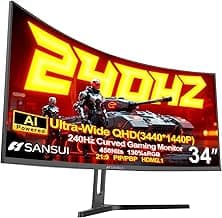
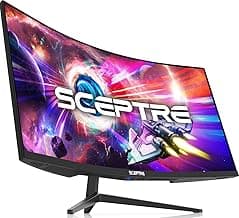
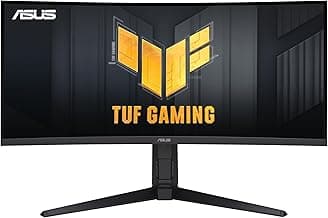
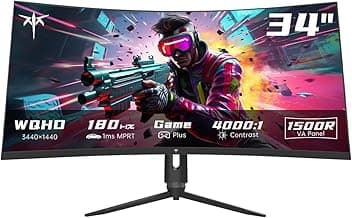
Buying Guide: Best Ultrawide Gaming Monitors
Choosing among ultrawide gaming monitors often feels overwhelming with options promising immersive gameplay but varying in real-world performance. Many gamers worry about whether a wider screen truly enhances their setup without compatibility headaches or excessive costs. This guide breaks down the key factors to focus on, helping you match a monitor to your gaming habits and desk setup.
Screen Size and Aspect Ratio
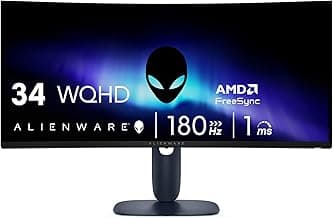
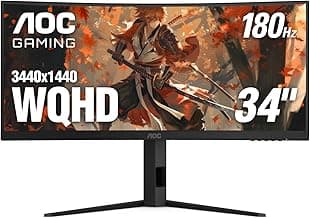
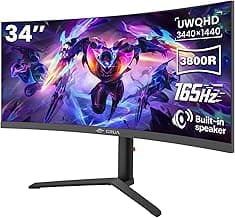
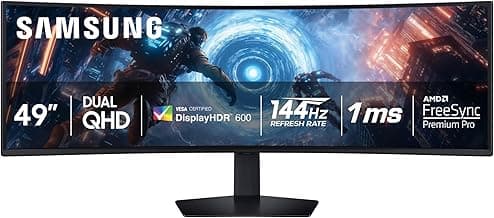
Ultrawide monitors typically come in 34-inch to 49-inch sizes with 21:9 or 32:9 ratios, offering more horizontal space for spotting enemies or multitasking. Larger sizes immerse you deeper in games like racing sims, but they demand more desk depth.
- If your play area is compact, opt for 34-inch models to avoid overwhelming your view.
- For sim racing or flight games, consider 49-inch if you have 2 feet of clearance.
- Avoid super-ultrawides if you switch between gaming and productivity, as they may distort non-optimized apps.
Resolution and Sharpness
Higher resolutions like 3440x1440 (WQHD) or 5120x1440 (DQHD) deliver crisp details in fast-paced titles, reducing pixelation during close-ups. Lower resolutions save on hardware demands but can look soft on big panels.
- Choose 3440x1440 for most setups—it balances visuals and GPU load for 144Hz+ gaming.
- If you run high-end cards, go for 5120x1440 for future-proofing immersive worlds.
- Steer clear of 2560x1080 unless budget limits your graphics card, as it compromises detail.
Refresh Rate and Response Time
A 144Hz to 240Hz refresh rate ensures smooth motion in competitive shooters, while 1ms response times minimize ghosting. Slower rates work for casual play but falter in twitchy scenarios.
- For esports, prioritize 175Hz+ with 1ms GtG to keep up with rapid movements.
- Casual gamers can settle for 144Hz, pairing well with mid-range PCs.
- Test for VRR support like FreeSync or G-Sync to avoid tearing regardless of frame rates.
Panel Type and Viewing Angles
VA panels offer high contrast for dark game scenes, while IPS provides better colors and angles for shared viewing. OLED excels in blacks but risks burn-in over long sessions.
- Select IPS if color accuracy matters for content creation alongside gaming.
- VA suits moody single-player games, though watch for slower response in pans.
- Consider OLED if you game variably, but use screensavers for static HUDs.
Adaptive Sync Technologies
Features like FreeSync or G-Sync match the monitor's refresh to your GPU's output, eliminating stutters and tears. Without them, even high-refresh screens feel choppy during dips.
- Ensure compatibility with your graphics card—AMD users lean FreeSync, NVIDIA both.
- If mixing hardware, certified options reduce certification worries.
- Skip if your games stay locked at stable frames, but most benefit from it.
Connectivity and Ergonomics
Look for DisplayPort 1.4 or HDMI 2.1 for full bandwidth, plus USB hubs for peripherals. Adjustable stands prevent neck strain during marathon sessions.
- Verify multiple inputs if connecting PC and console.
- Choose height/tilt/swivel stands for 4+ hour plays; VESA mount if wall-hanging.
- Avoid basic ports if using high-res at max refresh—they bottleneck performance.
Price and Long-Term Value
Expect $400–$1500 ranges, where mid-tier hits the sweet spot for features without overkill. Factor in power draw and warranty for sustained use.
- If under $600, check for essential specs over flashy add-ons.
- Spend more for 3-year warranties if gaming daily.
- Weigh energy costs—higher refresh models use 50–100W more, but efficiency ratings help.
Ultrawide Gaming Monitor FAQ
What are the best ultrawide gaming monitors for different budgets?
Entry-level ultrawide gaming monitors under $400 deliver solid 1440p resolution and 144Hz refresh rates for casual gamers, while mid-range options around $500-$800 step up to 4K and 165Hz for smoother gameplay in demanding titles. If you're on a tighter budget, prioritize panels with at least 1000R curvature for immersion without sacrificing response times under 1ms. High-end picks over $1000 often include OLED tech for infinite contrast, but most gamers find great value in the $600 range where performance meets affordability.
Are ultrawide gaming monitors safe for long gaming sessions?
Modern ultrawide gaming monitors are designed with flicker-free backlights and low blue light filters to reduce eye strain during extended play, making them safe for most users if you follow basic habits like the 20-20-20 rule. In most cases, high refresh rates and adaptive sync tech minimize headaches from screen tearing. If you game in a dark room, opt for models with good brightness control to avoid glare-related discomfort.
How do I install an ultrawide gaming monitor at home?
Installation is straightforward: most ultrawide gaming monitors come with a quick-snap stand that assembles in under 5 minutes using included screws, or you can mount them on a VESA-compatible arm for desk flexibility. Connect via DisplayPort for the best refresh rates, and if your PC lacks horsepower, start with lower settings to test compatibility before full setup. Cable management clips on the back help keep things tidy, and drivers usually auto-install on Windows for plug-and-play ease.
Do ultrawide gaming monitors use a lot of power or desk space?
These monitors typically draw 50-100W during intense gaming, which is efficient compared to dual-monitor setups and won't spike your electricity bill noticeably for average use. They require about 35-49 inches of desk width, so measure your space first—adjustable stands help tilt them closer if needed. Power-saving modes activate automatically during idle periods, keeping efficiency high without manual tweaks.
How do ultrawide gaming monitors compare to standard 16:9 displays?
Ultrawide gaming monitors offer a 21:9 or 32:9 aspect ratio for wider field of view, letting you spot enemies sooner in games like shooters or racers compared to cramped 16:9 screens. While they demand more GPU power for max settings, the immersive curve enhances multitasking for streaming or editing too. If you're upgrading from a 27-inch 16:9, the extra real estate feels transformative without overwhelming most modern rigs.
Conclusion
Choosing among the best ultrawide gaming monitors comes down to balancing resolution, refresh rates, and panel quality for smooth, immersive gameplay. Prioritize models with high contrast and minimal input lag to match your setup and budget.
With these factors in mind, you're well-equipped to make a confident decision that enhances your gaming experience without regret. Take a moment to compare specs and select the one that fits your needs best—your next level-up awaits.