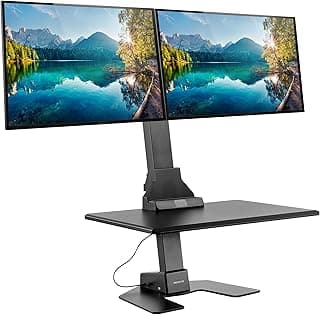
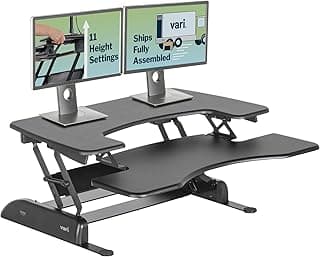
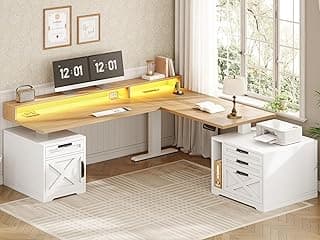
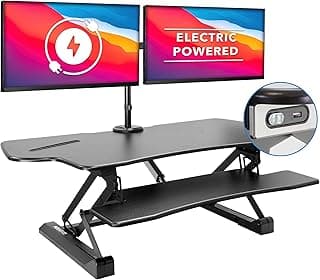
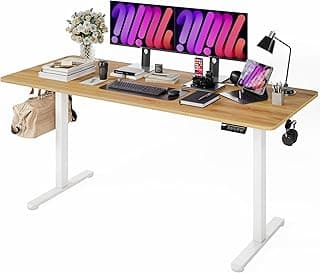
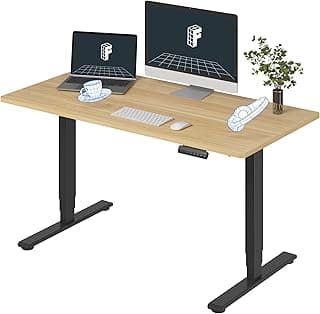
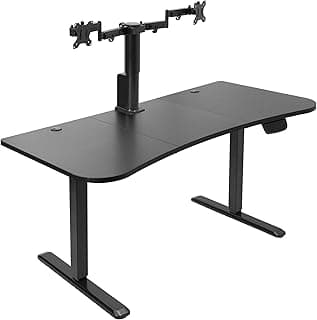
Buying Guide: Best Standing Desks for Dual Monitors
Setting up dual monitors on a standing desk often leads to worries about wobbling surfaces or inadequate space, especially during long work sessions. Many users find that focusing on a few key factors helps ensure a stable, comfortable setup without unnecessary complexity or expense.
Desk Surface Dimensions
The desktop size directly affects how comfortably your dual monitors fit alongside other essentials like keyboards and mice. For dual setups, aim for a width of at least 48 inches to allow monitors side-by-side without crowding.
- If your monitors are 27 inches or larger, choose widths up to 72 inches for breathing room.
- Narrower desks (under 42 inches) may work for smaller screens but can feel cramped over time.
Measure your current setup first—then select a size that matches your workflow to avoid repositioning hassles.
Height Adjustment Range
A good range accommodates both sitting and standing positions for users of different heights, reducing strain during transitions. Most effective desks offer 25–50 inches of travel to suit heights from 5'4" to 6'4".
- If you alternate frequently, prioritize memory presets for quick adjustments.
- For taller users over 6'2", ensure the maximum height exceeds 48 inches.
Test the range against your needs; a limited one can limit long-term usability.
Weight Capacity
Dual monitors, plus peripherals, add significant weight—typically 30–50 pounds total. Desks with at least 150 pounds capacity handle this without sagging or instability when raised.
- Opt for 200+ pounds if adding heavy items like speakers or a full keyboard tray.
- Avoid anything under 100 pounds, as it may rock with dual screens.
Calculate your gear's total weight upfront to prevent performance issues down the line.
Stability and Build Quality
Instability causes distractions and potential monitor misalignment, especially at standing height. Look for cross-bracing, wide bases, and sturdy frames that minimize shake during typing or mouse use.
- Lift-tested stability up to standing height is key for dual monitor confidence.
- Steel or reinforced frames generally outperform lighter materials for heavy loads.
If your workspace involves vigorous movement, prioritize anti-wobble features to maintain focus.
Motor Performance and Noise
Smooth, quiet motors make adjustments seamless without disrupting calls or concentration. Dual-motor systems handle uneven loads from dual monitors better than single-motor ones.
- Choose desks with speeds of 1.5–2 inches per second for efficiency.
- Low-decibel operation (under 50 dB) suits shared or quiet environments.
For frequent height changes, quiet dual motors reduce frustration in daily use.
Cable Management and Accessories
Cluttered cables from dual monitors can snag during height changes. Integrated trays or channels keep things tidy and safe.
- If aesthetics matter, select desks with built-in grommets or add-on trays.
- Plan for power strips to centralize connections.
Good management prevents accidents and keeps your setup professional-looking.
Assembly and Installation
Many fear complex setup, but most desks arrive with clear instructions and take 30–60 minutes for two people. No advanced tools are usually needed.
- Pre-assembled options save time if you're short on help.
- Check weight ratings for solo assembly if working alone.
Follow the manual step-by-step—most users complete it easily without professional help.
FAQ: Best Standing Desks for Dual Monitors
What should I look for in the best standing desks for dual monitors?
Focus on a wide desktop surface, at least 48-60 inches across, to comfortably fit two 24-27 inch monitors side by side without overhang. Height adjustability from 25 to 50 inches ensures ergonomic positioning for both sitting and standing, reducing strain during long work sessions. Stable frames that minimize wobble at maximum height are crucial when typing or moving monitors.
How much do good standing desks for dual monitors typically cost?
Expect to pay $300-$800 for reliable models that support dual monitor setups, depending on features like memory presets or anti-collision tech. Budget options around $300 offer basic height adjustment but may lack stability for heavier loads, while $500+ desks provide smoother motors and larger surfaces. In most cases, investing in the mid-range avoids common issues like motor burnout after a year of daily use.
Are standing desks safe for dual monitor setups?
Yes, if they include anti-collision sensors to stop the desk from crushing toes or objects during adjustment, which is essential with the added weight of two monitors. Look for desks rated for 150-220 pounds to handle monitors, keyboard, and accessories without tipping. Most users find them very safe for home offices when assembled correctly and used on level floors.
How easy is installation for standing desks with dual monitor support?
Assembly usually takes 30-60 minutes for one person using basic tools like a screwdriver, with most parts pre-assembled. Follow the instructions step-by-step to attach the frame to the desktop first, then install the control panel and test the motor before adding monitors. If you're not handy, have a friend help with flipping the heavy top, but issues are rare if all bolts are tightened evenly.
How do standing desks for dual monitors compare to fixed-height ones for productivity?
Standing desks boost efficiency by letting you alternate postures every 30-60 minutes, cutting fatigue from hunching over dual screens all day. Fixed desks lock you into one position, often leading to back pain that slows work, while adjustable ones improve focus for multi-monitor users. Over time, the ability to stand during calls or creative tasks makes them worth the switch for most remote workers.
Conclusion
Choosing the best standing desks for dual monitors comes down to ample surface space, sturdy height adjustment, and reliable stability under load. Prioritize models with wide desktops and smooth mechanisms to support your setup comfortably throughout the day.
With these key factors in mind, you're well-equipped to make a confident decision that enhances your productivity and well-being. Take a moment to match your needs with the right option and elevate your workspace today.