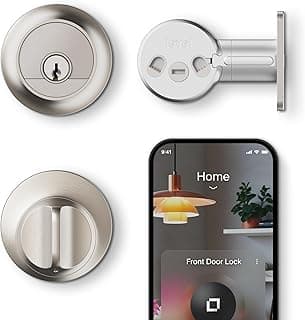
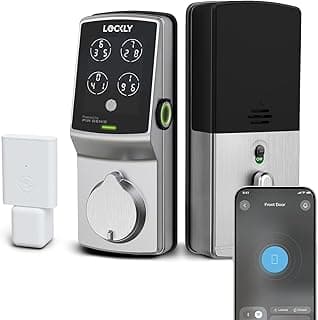
Buying Guide: Finding the Right Smart Deadbolt for Your Needs
Upgrading to a smart deadbolt often raises questions about reliability, ease of setup, and whether it truly enhances security without adding hassle. Many homeowners worry about compatibility with their door or the risk of tech glitches leaving them locked out. This guide breaks down the key factors to consider, helping you evaluate options practically for your situation.
Locking Mechanism and Security Ratings
The core of any smart deadbolt is its locking mechanism, which determines how securely it protects your home. Look for models tested to standards like ANSI Grade 1 or Grade 2 for resistance to kicking, picking, and drilling.
- If your front door faces high traffic or weather exposure, prioritize Grade 1 for added durability.
- For interior or side doors, Grade 2 often suffices without overpaying.
Avoid unrated locks, as they may falter under force in real-world break-in attempts.
Connectivity Options
Smart features rely on connectivity, so choose based on your existing smart home setup. Common options include Wi-Fi for direct internet access, Z-Wave or Zigbee for hub integration, and Bluetooth for local control.
- If you want app control from anywhere without extra hardware, opt for built-in Wi-Fi.
- For users with a compatible hub, Z-Wave or Zigbee provides reliable, low-power performance.
Bluetooth works well for quick access but limits remote features unless paired with another system.
Battery Life and Power Management
Battery reliability prevents unexpected lockouts. Most smart deadbolts use 4 AA batteries, lasting 6–12 months with normal use, but smart features like auto-locking drain them faster.
- Check for low-battery alerts via app or LED indicators to avoid surprises.
- If your household has high usage, select models with external power options like a wiring kit.
Regularly test backups like key override to ensure access during power failures.
Installation Requirements
Many fear installation will require a pro, but most smart deadbolts fit standard doors and use your existing deadbolt hole. Expect 30–60 minutes for a DIY job with basic tools.
- If your door is metal or non-standard (over 1.75 inches thick), confirm compatibility first.
- Follow the included template precisely to avoid misalignment.
Apps with guided videos simplify the process, making it manageable for most homeowners.
User Access Methods
Access options affect daily convenience. Keypads for PIN codes, fingerprint scanners, and app-based unlocking cater to different needs.
- For families or shared homes, keypads allow multiple codes without distributing keys.
- Fingerprint readers suit individuals wanting quick, touch-free entry if accuracy is high (99% claimed rates).
Combine methods for flexibility, like app + key, to cover various scenarios.
Durability and Weather Resistance
Outdoor exposure demands weatherproofing. Seek IP-rated models (e.g., IP65) resistant to rain, dust, and temperatures from -30°F to 150°F.
- In harsh climates, choose heavy-duty brass or stainless steel construction.
- Avoid plastic-heavy designs, which degrade faster.
Real-world testing shows these hold up for 3–5 years with minimal maintenance.
Additional Smart Features
Features like geofencing (auto-lock/unlock by location) and activity logs add value but increase complexity. For most users, core remote access suffices.
- If privacy matters, enable temporary codes for guests instead of full sharing.
- Two-factor authentication boosts security for app access.
Select extras that match your lifestyle to avoid unused functions draining batteries or confusing the system.
Frequently Asked Questions About the Best Smart Deadbolts
How much does a good smart deadbolt cost?
Expect to pay between $150 and $300 for a reliable smart deadbolt, depending on features like keyless entry and app control. Basic models start lower but may lack advanced security, while premium ones offer better battery life and integration. If you're on a budget, prioritize core locking mechanisms over extras to get solid value without overspending.
Are smart deadbolts as safe as traditional ones?
Top smart deadbolts match or exceed traditional locks with encryption, tamper alerts, and remote monitoring, but safety depends on strong Wi-Fi and regular updates. In most cases, they add layers like auto-locking and activity logs that deter break-ins better than manual keys. Always pair them with a sturdy door frame for maximum protection against forced entry.
Is installing a smart deadbolt difficult for beginners?
Most smart deadbolts install in under 30 minutes using basic tools like a screwdriver, with step-by-step apps guiding you through door prep and alignment. If your existing deadbolt fits standard sizes, it's often a direct swap without drilling new holes. For tricky setups, like uneven doors, watch a quick video tutorial first to avoid frustration.
How do smart deadbolts compare to keypad or keyless locks?
Smart deadbolts stand out with app-based remote access and voice control, going beyond simple keypads by letting you manage access from anywhere. They often have longer battery life than touchscreen models and integrate seamlessly with home ecosystems. If you need hands-free operation, choose one with geofencing that auto-unlocks as you approach.
What makes a smart deadbolt efficient in daily use?
Efficient smart deadbolts feature long-lasting batteries (up to 12 months), quick response times under 1 second, and low-maintenance designs that resist weather. They save time with features like scheduled locking and guest codes, reducing forgotten keys or manual checks. Opt for models with easy code resets to keep things running smoothly for families or rentals.
Conclusion
Choosing the best smart deadbolt comes down to prioritizing strong security features, reliable connectivity, and easy installation tailored to your needs. Key factors like battery life, app integration, and auto-locking ensure peace of mind without complications.
You now have the insights to make a confident decision. Consider your home setup and daily routines to select the model that fits best. Upgrading to a smart deadbolt is a practical step toward enhanced protection—take the next one today.