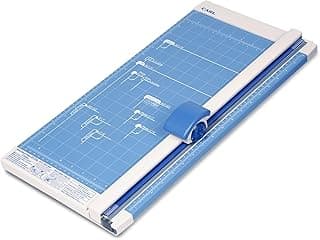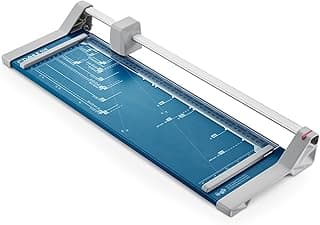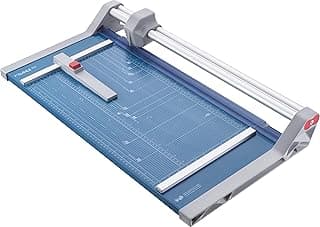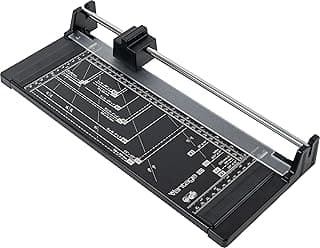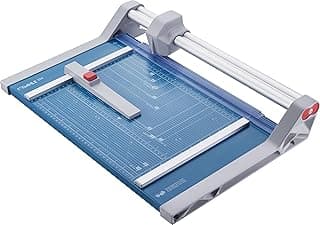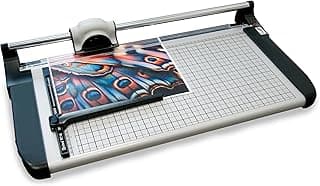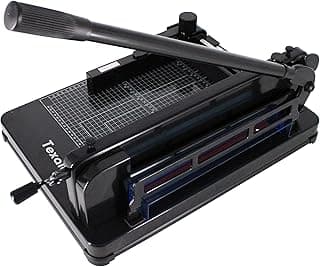

Buying Guide: Best Rotary Paper Trimmers
Choosing among rotary paper trimmers can feel overwhelming when you're unsure if it'll handle your specific projects without jamming or wasting paper. Many buyers worry about getting one that's too bulky for home use or lacks the precision for frequent trimming. This guide breaks down the key factors to consider for real-world needs.
Cutting Capacity and Paper Size
The cutting length and thickness a trimmer handles directly affects its suitability for your tasks. For everyday home or office use, a length of 12 to 15 inches covers most letter or A4 sheets without repositioning.
- If you mainly trim photos or cards, opt for up to 1/4-inch stack capacity to avoid multiple passes.
- For larger posters or bulk jobs, choose models supporting 24 inches or more and thicker stacks, but expect a bigger footprint.
Avoid overextending with oversized trimmers if space is limited—they often sit unused.
Blade Quality and Precision
Rotary blades offer cleaner cuts than guillotine styles, but sharpness and material determine longevity and edge quality. Tungsten steel blades stay sharp longer, reducing replacement frequency.
- Look for enclosed or shielded blades if safety is a priority, especially around kids or shared spaces.
- Test for minimal drag on coated papers; dull blades cause tears, wasting material.
If you trim delicate items like vellum, prioritize models with adjustable pressure for straighter lines.
Build Quality and Durability
A sturdy base and metal components prevent wobbling during cuts, ensuring accuracy over time. Plastic-heavy designs may flex under pressure, leading to uneven results.
- Choose die-cast aluminum rails for smooth gliding if you'll use it daily.
- Check for non-slip feet to keep it stable on desks.
For occasional use, lighter builds suffice, but frequent crafters benefit from reinforced frames that withstand thousands of cuts.
Safety Features
Rotary trimmers are generally safer than guillotines due to the rolling action, but added protections reduce accident risks. No installation is needed—just unfold and use.
- Seek blade guards or locking mechanisms if multiple users access it.
- Opt for transparent safety bars that let you align paper while protecting fingers.
These features add peace of mind without complicating setup, making them practical for homes.
Portability and Storage
Size impacts where you can store or transport it. Compact models fold flat, fitting into drawers for small spaces.
- If mobility matters, pick lightweight options under 5 pounds with handles.
- Larger units suit dedicated craft rooms but may require desk space.
Measure your area first—many regrets come from underestimating storage needs.
Maintenance and Longevity
Easy blade swaps and self-sharpening options keep costs low over time. Expect blades to last 500 to 2,000 cuts depending on paper type.
- Avoid models needing tools for maintenance if you're not handy.
- Regular cleaning prevents buildup that dulls performance.
For budget-conscious buyers, factor in replacement parts availability to avoid early obsolescence.
Price and Value
Expect to spend $20 to $100 for reliable options. Cheaper units cut corners on blades, while pricier ones add durability.
- If casual use, mid-range provides the best balance.
- For professionals, invest in higher-end for fewer frustrations long-term.
Calculate per-cut cost: better builds often pay off quicker than constant replacements.
Frequently Asked Questions About Rotary Paper Trimmers
What is the best rotary paper trimmer for home use on a budget?
If you're looking for an affordable rotary paper trimmer under $50, focus on models with a sturdy metal base and self-sharpening blades that handle up to 10 sheets at once. These budget options deliver clean, precise cuts for crafts or documents without frequent replacements, though they may lack advanced safety features found in pricier versions. In most cases, they perform reliably for occasional use if you maintain the cutting mat properly.
How do rotary paper trimmers compare to guillotine trimmers?
Rotary paper trimmers offer safer, smoother cuts with a rolling circular blade, making them ideal for detailed work like photos or cardstock, unlike guillotine styles that use a chopping motion better for bulk stacks. While guillotines cut thicker piles faster, rotary models reduce the risk of jagged edges and hand injuries, especially for beginners. Choose rotary if precision matters more than speed for your projects.
Are rotary paper trimmers safe for kids or family crafting?
Most rotary paper trimmers include blade guards and locking mechanisms that prevent accidental cuts, making them safer than lever-style cutters for family use. If kids will be using it, opt for models with a soft-grip handle and transparent safety covers that keep fingers clear of the blade path. Always supervise young users and store the trimmer with the blade covered when not in use.
How do you set up and maintain a rotary paper trimmer?
Setup is straightforward—most rotary paper trimmers arrive assembled or require just attaching the guide rail, taking under 5 minutes on a flat desk surface. For maintenance, wipe the blade and mat after each session to remove paper dust, and replace the mat every 6-12 months depending on usage to keep cuts crisp. No special tools are needed, and regular cleaning prevents sticking or dulling over time.
What size rotary paper trimmer is most efficient for frequent use?
For efficiency in offices or heavy crafting, a 15-inch rotary paper trimmer strikes the best balance, easily handling letter-size paper, photos, and up to 15 sheets without repositioning. Larger models speed up bulk tasks but take more storage space, while smaller ones suit portability. If you cut daily, prioritize ones with adjustable guides and non-slip feet for quick, accurate repeats.
Conclusion
When selecting the best rotary paper trimmers, focus on blade quality, cutting capacity, and ease of use to match your needs. These factors ensure precise, clean cuts for crafts, documents, or professional projects without hassle.
With the right model, you'll gain reliable performance that saves time and reduces frustration. Take a moment to review your priorities and pick the one that fits best—your perfect trim awaits.