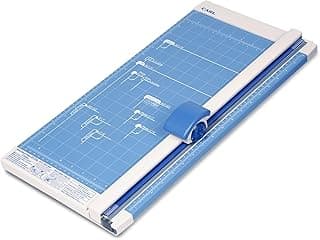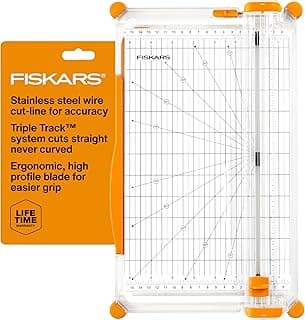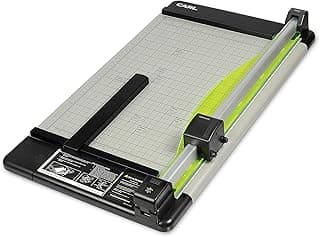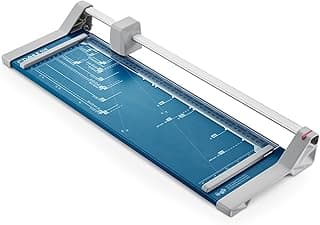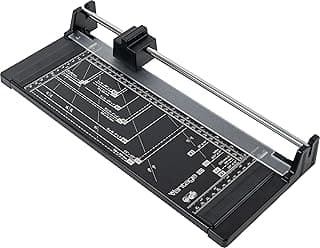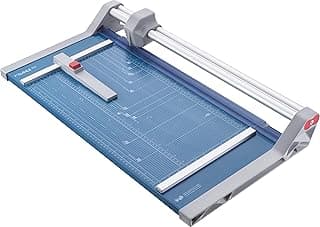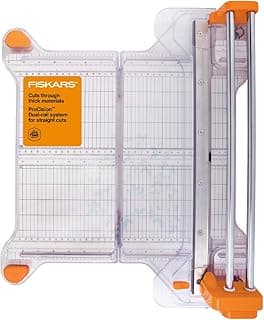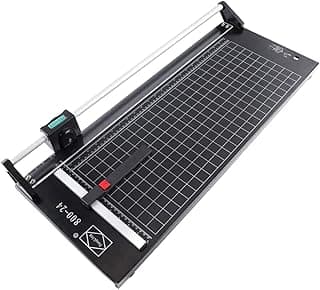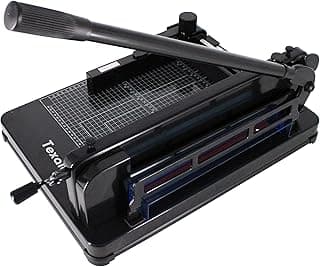

Buying Guide: Finding the Right Rotary Paper Cutter for Your Needs
Choosing among rotary paper cutters can feel overwhelming with so many options for sizes, features, and prices. Many buyers worry about getting one that's safe to use at home or in a small office, or wonder if a basic model will handle everyday tasks without frustrating jams or dull blades. This guide breaks down the key factors to help you focus on what matters for your specific cutting needs.
Cutting Capacity and Paper Size
The cutting length and thickness a rotary paper cutter handles determine its everyday practicality. For most users crafting cards or trimming photos, a capacity of 12 to 18 inches works well without taking up much desk space.
- If you mainly cut letter-size or A4 sheets, opt for at least 12 inches to avoid multiple passes.
- For larger projects like posters, choose 24 inches or more, but note these take up more room.
- Avoid models under 10 inches if you cut anything beyond small notes, as they limit versatility.
Blade Quality and Durability
A sharp, replaceable rotary blade ensures clean cuts over time, reducing frayed edges that ruin projects. In real use, dull blades lead to uneven results and safety risks from forcing paper through.
- Look for models with high-carbon steel blades that stay sharp for 500 to 1,000 cuts.
- If you cut thick stacks or cardstock often, prioritize easy blade replacement to maintain performance.
- Steer clear of fixed blades, as they wear out faster and complicate maintenance.
Safety Features
Safety stands out when handling rotary blades, especially in shared spaces or with kids around. Most incidents happen from exposed blades during alignment, so built-in guards make a big difference.
- Choose cutters with a clear plastic guard that covers the blade until you press down.
- If precision alignment is key for your work, seek models with grid lines under the guard for visibility without exposure.
- For home use, models with a locking mechanism add peace of mind when not in active use.
Build Quality and Portability
Sturdy construction prevents slipping during cuts, which is crucial for accurate results. Lightweight designs suit frequent movers, while heavier bases offer stability for heavy daily use.
- If you need portability for classes or events, pick under 5 pounds with a handle.
- For office setups, a metal base weighing 8 pounds or more reduces wobble on stacks.
- Test for non-slip feet; they matter most on smooth surfaces like glass desks.
Accuracy Aids and Guides
Precise measurements save time and reduce waste, especially for repetitive tasks like photo cropping. Good guides ensure straight lines without measuring each sheet.
- Opt for self-healing mats with marked grids in inches and metrics for dual-system users.
- If you cut angles often, look for adjustable side guides that lock securely.
- Avoid basic rulers without locking stops, as they shift easily under pressure.
Price and Long-Term Value
Rotary paper cutters range from $20 for basics to over $100 for heavy-duty options. Balance initial cost with replacement parts availability to avoid surprises.
- For occasional home use, $30 to $50 models deliver reliable performance.
- If cutting daily volumes, invest $70+ for durable components that last years.
- Factor in blade replacements, typically $10 to $20 each, and choose where extras are easy to source.
Frequently Asked Questions About Rotary Paper Cutters
What is the best rotary paper cutter for home use on a budget?
If you're looking for an affordable rotary paper cutter under $50, prioritize models with a sturdy base and self-sharpening blades that handle up to 10 sheets at once. These budget options often deliver clean cuts for crafts or office tasks without frequent replacements, though they may lack advanced safety features found in pricier units. In most cases, check the cutting length—12 inches works well for standard paper sizes—to ensure it fits your needs without overspending.
Are rotary paper cutters safe to use, especially around kids?
Most rotary paper cutters come with built-in safety guards that cover the blade when not in use, reducing accident risks compared to traditional guillotines. For households with children, opt for models with locking mechanisms or enclosed cutting paths to prevent mishaps. Always store them properly and supervise use, as even safe designs require mindful handling for straight, precise cuts.
How do I set up and install a rotary paper cutter?
Setup is straightforward—no tools needed in most cases; just unfold the base, secure any clamps, and test on scrap paper. Place it on a flat, stable surface away from edges to avoid slips during use. If your model has adjustable guides, align them once for consistent cuts, taking under 5 minutes total for reliable performance right away.
What makes a rotary paper cutter more efficient than a standard paper trimmer?
Rotary cutters excel in efficiency by rolling the blade for smoother, cleaner edges on multiple sheets without tearing, ideal for frequent users like scrapbookers or teachers. They cut faster than scissors or basic trimmers, especially on glossy or thick stock, and maintain sharpness longer with minimal effort. For high-volume tasks, choose one with a longer guide rail to speed up workflows significantly.
How does a rotary paper cutter compare to other types in terms of cost and durability?
Rotary models typically cost $30–$150, offering better long-term value than cheap guillotines that dull quickly, though premium rotary cutters justify higher prices with durable metal construction. They outperform manual trimmers in precision and lifespan, resisting wear from daily use if maintained by wiping the blade occasionally. Weigh your volume: low-use buyers save with basics, while heavy users benefit from robust builds that last years.
Conclusion
Choosing among the best rotary paper cutters comes down to your cutting needs, blade quality, safety features, and capacity. Prioritize models with smooth operation, durable construction, and precise guides to ensure reliable results for crafts, documents, or bulk tasks.
With these key factors in mind, you're equipped to make a confident decision. Take a moment to match the right cutter to your workflow—it's a practical step toward cleaner cuts and less frustration every time.