
Buying Guide: Finding the Right Printer Ribbons for Your Needs
Many people searching for the best printer ribbons feel overwhelmed by the variety of options and worry about picking ones that won't work with their machine or run out too quickly. This guide breaks down the key factors to consider, helping you match ribbons to your actual printing habits without guesswork.
Compatibility with Your Printer Model
Printer ribbons must match your device's specific model to avoid jams, faded prints, or damage. Incompatible ribbons often lead to wasted time and ink.
- Check your printer's manual or model number first, then verify the ribbon's part number.
- If you print infrequently at home, opt for ribbons labeled for consumer models; for office use, choose those suited to high-volume dot matrix or thermal printers.
- Avoid universal claims—always cross-reference specs to ensure a seamless fit.
Yield and Capacity
Ribbon yield, measured in characters or pages, determines how long it lasts before replacement, directly affecting long-term costs. Low-yield options suit light users, while higher-capacity ones save money for frequent printing.
- Look for yields around 2–5 million characters for moderate home or small office needs.
- If you print 100+ pages weekly, then prioritize higher-capacity ribbons to reduce downtime.
- Calculate based on your volume: divide expected usage by yield to estimate replacement frequency.
Ink Type and Print Quality
The ink formulation—whether wax, resin, or nylon—affects sharpness, durability, and resistance to smudges. For everyday documents, standard wax works well; specialized needs require more robust types.
- Wax-based ribbons handle standard paper for clear text in most cases.
- If printing on glossy labels or for archival storage, then select resin for better fade resistance.
- Test a small pack first if quality varies by paper type in your setup.
Size and Panel Configuration
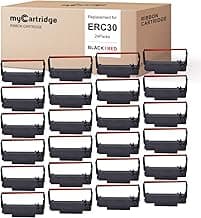
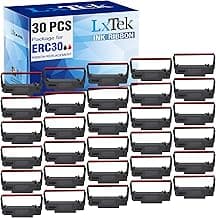
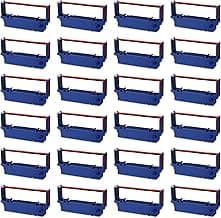
Ribbons come in widths like 1/2-inch or 1-inch, and configurations such as single-color or multi-panel (black/red). Mismatched sizes cause installation issues or uneven output.
- Measure your printer's ribbon compartment and match exactly.
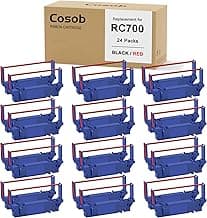
- For two-color forms, choose black/red panels; otherwise, stick to single black for simplicity.
- In shared office environments, standardize on common sizes to avoid mix-ups.
Durability and Storage
Quality ribbons resist cracking or drying out, especially in varying humidity. Poor storage shortens lifespan, leading to unexpected failures.
- Store in cool, dry places away from direct light.
- If your environment fluctuates (e.g., garage office), then pick ribbons with protective packaging.
- Generally, ribbons last 1–2 years unopened; inspect for damage before use.
Cost Per Print and Value
Upfront price seems appealing, but calculate cost per page for true value. Cheaper ribbons often underperform, increasing total expenses.
- Divide ribbon cost by yield to find per-character cost.
- For budgets under $50 monthly, mid-range options balance quality and savings in most cases.
- Bulk packs suit high-volume users, but avoid overbuying if usage is unpredictable.
Installation and Maintenance Ease
Some ribbons snap in effortlessly, while others require tools or adjustments. Simple designs minimize frustration, especially for non-tech-savvy users.
- Choose cassettes over spools if your printer supports them—they install in seconds.
- If you're new to replacements, then follow video tutorials matching your model.
- Clean the print head regularly to extend ribbon life and prevent streaks.
Frequently Asked Questions About Printer Ribbons
What are the most cost-effective printer ribbons for everyday use?
In most cases, the best printer ribbons balance price per page with reliable performance, often costing under $20 for thousands of prints. Look for high-yield options if you print frequently, as they reduce long-term expenses by up to 40% compared to standard ones. Always check compatibility with your model to avoid wasting money on mismatches.
Are printer ribbons safe for home or office environments?
Quality printer ribbons are designed with non-toxic ink formulations that minimize fumes and residue, making them safe for regular use around families or in shared spaces. If you're sensitive to odors, opt for ribbons with low-VOC inks, which dissipate quickly after installation. Proper handling and ventilation during replacement further ensures safety without complications.
How easy is it to install printer ribbons?
Installing most printer ribbons takes just 1-2 minutes with a simple snap-in mechanism—no tools required in typical dot matrix or impact printers. If your model has a latch or guide, follow the arrows on the ribbon for foolproof alignment, avoiding twists that could cause jams. First-timers might watch a quick demo if needed, but it's straightforward even without prior experience.
Which printer ribbons offer the best efficiency and print quality?
The top printer ribbons deliver crisp, durable prints lasting years without fading, especially on multi-part forms or receipts. High-efficiency versions handle 2-5 million characters per ribbon, cutting downtime and waste. Choose fabric or mylar types based on volume—fabric for heavy use, mylar for longevity in lighter applications.
How do different types of printer ribbons compare in performance?
Standard ribbons suit low-volume printing with decent quality at the lowest upfront cost, while corrected or multi-strike versions excel in error-prone environments by allowing overwrites without smudges. High-capacity ribbons outperform basics in efficiency for busy offices, yielding more prints before replacement. Your choice depends on print volume and document needs—test a compatible one to match your workflow.
Conclusion
When selecting the best printer ribbons, focus on compatibility, print yield, and durability to ensure reliable performance for your needs. High-quality ribbons deliver crisp output and cost efficiency over time, minimizing downtime and waste.
With these factors in mind, you're well-equipped to make a confident choice. Consider your printing volume and machine specs, then pick the model that aligns best with your setup for optimal results.