
Buying Guide: Finding the Right Paper Stack Cutter
Choosing among paper stack cutters can feel overwhelming when you're dealing with varying needs like office bulk cutting or craft projects. Many buyers worry about getting something too bulky or unsafe for everyday use, but focusing on a few key factors helps narrow it down to options that fit your workflow without unnecessary hassle.
Cutting Capacity and Stack Height
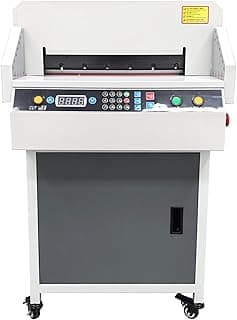
The ability to handle stack height determines how much paper you can cut at once, saving time on repetitive tasks. For most users, a capacity of up to 300 sheets works well for standard office paper, but if you often process thicker stacks like cardstock, look for models supporting 500 sheets or more.
- If your projects involve small batches, a 100-200 sheet capacity keeps things compact and affordable.
- Avoid underpowered cutters for heavy use—they lead to multiple passes and uneven edges.
Cut Length and Paper Size Compatibility
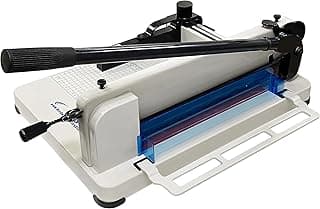
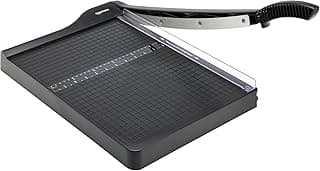
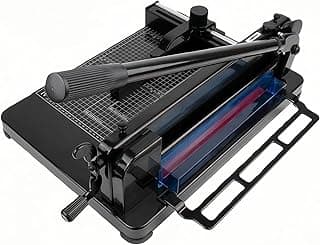
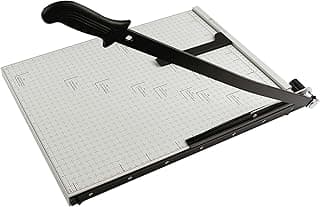
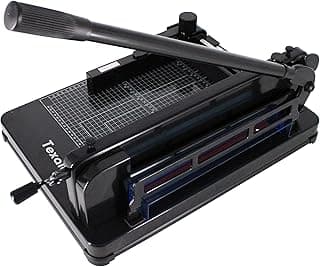
Cut length affects what paper sizes you can handle efficiently, from letter to tabloid. In real use, a guillotine-style cutter with at least 12-15 inches of cut length covers most needs without wasting space on your desk.
- Opt for adjustable guides if you switch between A4 and larger formats frequently.
- For craft or photo work, prioritize precision over maximum length to avoid trimming errors.
- Solitary cuts benefit from lever-action for control; hydraulic for heavy stacks reduces effort.
- Steer clear of cheap plastic mechanisms—they dull quickly and jam under load.
- For home or light office use, a simple guard suffices; add finger guards if kids or novices are around.
- Modern cutters often include auto-shutoff—worth it for peace of mind without complicating setup.
- If desk space is tight, pick models under 20 pounds with foldable arms.
- For workshops, heavier builds (30+ pounds) provide stability during thick cuts.
- Choose clamp systems if paper shifts during cuts; avoid gluey residues by picking easy-clean surfaces.
- For occasional users, prioritize intuitive controls over advanced features.
Blade Type and Cutting Mechanism
Blade quality impacts clean cuts and longevity—guillotine blades excel for straight stack cuts, while rotary options suit smaller, precise jobs. If you're cutting daily volumes, choose replaceable, hardened steel blades to maintain sharpness over time.
Safety Features
Safety matters most in shared spaces or with frequent use, preventing accidents from blade exposure. Look for transparent shields, magnetic locks, or two-hand operation that stop the blade mid-cycle.
Build Quality and Portability
Durable construction ensures the cutter withstands regular handling without wobbling or breaking. Metal frames generally outlast plastic for high-volume tasks, but weigh portability needs.
Maintenance and Ease of Use
Low-maintenance designs keep downtime minimal—easy blade swaps and self-sharpening features simplify upkeep. In practice, cutters with clear alignment marks and non-slip bases speed up setup for consistent results.
Frequently Asked Questions About Paper Stack Cutters
What should I consider when choosing the best paper stack cutter for my needs?
Focus on your cutting volume and paper thickness first, as high-capacity models handle stacks up to 500 sheets efficiently while smaller ones suit home offices. Safety features like blade guards and non-slip bases are crucial to prevent accidents, especially if multiple users will operate it. Balance this with your budget, since reliable options start around $50 for basic use and go up to $300 for heavy-duty precision.
How much do good paper stack cutters typically cost?
Entry-level stack cutters for light use often range from $40 to $100, offering decent cuts for small stacks without breaking the bank. Mid-range models around $150 to $250 provide better durability and capacity for offices or schools. If you need professional-grade performance, expect to pay $300 or more, but in most cases, mid-tier options deliver the best value for everyday tasks.
Are paper stack cutters safe to use, especially around kids or beginners?
Most modern stack cutters come with essential safety features like spring-loaded blades that retract automatically and finger guards to keep hands away from cutting edges. Always clamp the paper securely and use the hold-down bar to minimize slippage. For households with children, opt for models with locking mechanisms, and supervise initial uses to build confidence safely.
Do paper stack cutters require any special installation or setup?
In most cases, no installation is needed; they arrive fully assembled and ready to use right out of the box on any flat surface. Some larger guillotine-style cutters might benefit from being bolted to a workbench for stability during heavy use, but this is optional for tabletop models. Just ensure the surface is level to avoid uneven cuts, and check the blade alignment with the included instructions.
How do stack paper cutters compare to regular scissors or single-sheet trimmers?
Stack cutters excel in efficiency for bulk jobs, slicing through 100+ sheets evenly in seconds, which scissors can't match without frayed edges or fatigue. They're far more precise than single-sheet trimmers for aligned cuts on flyers or photos, though they take up more space. If your workflow involves frequent batch cutting, a good stack cutter saves hours compared to manual methods.
Conclusion
Choosing the best paper stack cutters comes down to your cutting capacity, precision needs, and safety features. We've highlighted options that balance durability with ease of use, ensuring clean cuts for stacks up to hundreds of sheets.
With the right model, you'll streamline your workflow without hassle. Take a moment to match your volume and budget to these reliable choices—your efficient cutting solution is just a decision away.