
Buying Guide: Best Paper Cutters for Scrapbooking
Scrapbookers often struggle with uneven cuts that ruin layouts or tools that feel unsafe on the craft table. When searching for the best paper cutters for scrapbooking, focus on options that match your project scale and workspace to get clean, precise results without frustration.
Cutting Capacity and Paper Size
Capacity determines how much paper you can handle at once, which matters for efficiency during long sessions. Most scrapbooking uses 12-inch widths, but larger formats suit group projects or oversized pages.
- If you work with standard A4 or letter-size sheets, a 12-inch cutter handles them easily.
- Opt for 15-inch or bigger if tackling full scrapbook spreads to avoid multiple passes.
- Avoid oversized models if space is tight—they take up more room than needed for casual use.
Blade Type and Precision
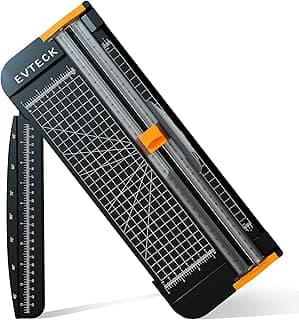
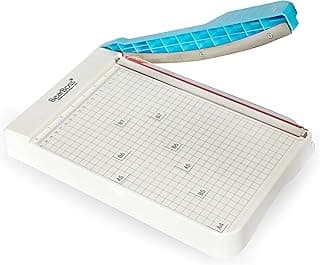
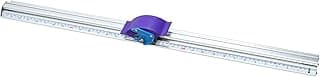
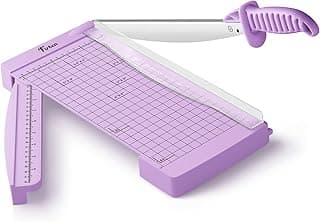
Blade quality affects cut smoothness, crucial for delicate patterned paper or photos. Guillotine styles offer straight edges, while rotary cutters roll for curves—choose based on your typical cuts.
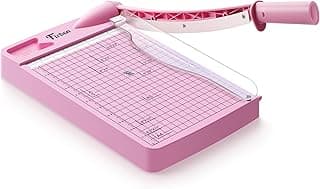
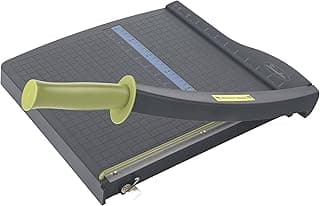
- Select guillotine blades for bulk straight cuts; they stay sharp longer in repetitive use.
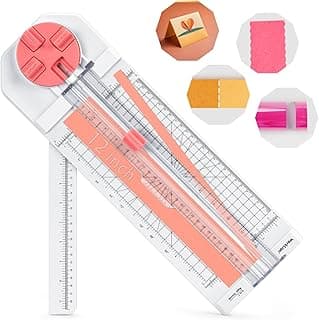
- Go rotary if you need curves or small details, but replace blades more often.
- Look for replaceable blades to maintain precision without buying a new cutter.
Safety Features
Safety prevents accidents around kids or during focused crafting. Modern cutters include guards that make them reliable for home use, reducing worry without slowing you down.
- Choose models with blade covers or locks that engage automatically.
- Prefer transparent guards for visibility while protecting fingers.
- If crafting with children nearby, prioritize cutters with child-resistant mechanisms.
Build Quality and Durability
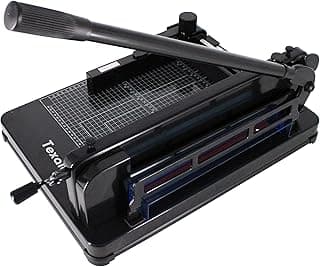
A sturdy build withstands frequent use without wobbling, ensuring consistent cuts over time. Metal bases and reinforced arms hold up better than plastic in daily scrapbooking.
- Feel for solid construction—avoid lightweight plastic that shifts mid-cut.
- Check for non-slip feet to keep it stable on craft tables.
- For heavy use, metal components extend lifespan beyond 2-3 years.
Portability and Storage
Easy storage suits small workspaces or travel to crops. Compact designs fold or stack without losing functionality.
- If table space is limited, pick foldable models under 20 inches long.
- Consider lightweight options (5 pounds) for carrying to events.
- Larger cutters work if you have dedicated storage but may feel cumbersome elsewhere.
Additional Features for Ease
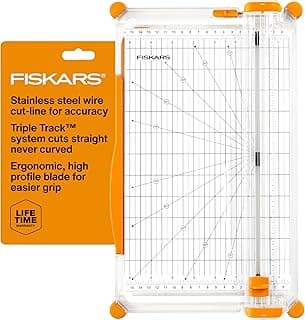
Extras like grids or measurements speed up aligning photos and paper. They matter most for beginners building layouts quickly.
- Integrated rulers with markings help measure without a separate tool.
- Some include paper clamps—useful for slippery stacks.
- Skip fancy add-ons if your workflow is simple; basics often suffice.
Frequently Asked Questions About Paper Cutters for Scrapbooking
What are the best paper cutters for scrapbooking on a budget?
If you're watching your spending, look for guillotine-style cutters under $30 that handle up to 12-inch paper widths without sacrificing straight cuts. These affordable options often include safety locks and adjustable guides, making them practical for hobbyists who cut dozens of pages weekly. In most cases, they deliver clean edges comparable to pricier models if you maintain the blade regularly.
How do I choose a safe paper cutter for scrapbooking projects?
Prioritize models with blade guards, finger guards, and spring-loaded clamps to secure paper and prevent slips during use. Rotary cutters tend to be safer for detailed work since they roll rather than chop, reducing pinch risks. Always check for non-slip feet if you'll be cutting on tables, as this adds stability for frequent scrapbook sessions.
Do paper cutters for scrapbooking require any installation or setup?
Most portable scrapbooking cutters are ready to use right out of the box—no assembly or tools needed beyond unfolding the base. Larger desktop versions might involve attaching a handle or guide rail, which takes under 5 minutes with included screws. If space is tight, opt for foldable designs that store easily without permanent setup.
Which paper cutters offer the best efficiency for scrapbooking multiple sheets?
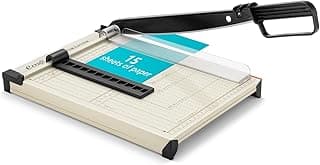
Stack cutters that handle 10-20 sheets at once save time when prepping photo mats or backgrounds in bulk. Look for models with alignment grids and locking arms for precise, repeatable cuts up to 15 inches long. Users find these far quicker than handheld scissors for high-volume projects, though single-sheet rotary options excel for intricate shapes.
How do guillotine vs rotary paper cutters compare for scrapbooking?
Guillotine cutters provide faster straight-line cuts for borders and pages, ideal if speed matters more than curves. Rotary versions shine for smoother edges on delicate papers and patterned designs, but they often cut fewer sheets per pass. Choose based on your workflow: guillotine for volume, rotary for precision in detailed albums.
Conclusion
Selecting the best paper cutters for scrapbooking comes down to blade sharpness, cutting capacity, safety features, and ease of use for precise, clean cuts on various paper types. The right cutter enhances your crafting efficiency without frustrating jams or uneven edges.
With these key factors in mind, you're well-equipped to make a confident choice that fits your scrapbooking needs and budget. Take a moment to match the options to your projects, and start creating with precision today.