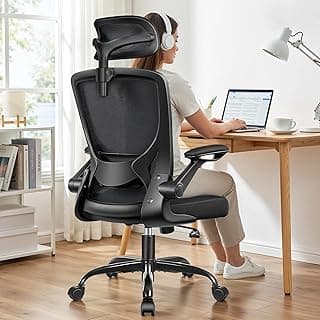
Buying Guide: Best Home Office Chair for Neck Pain
Many people working from home notice neck stiffness after long hours at a desk, often wondering if a new chair can make a difference without breaking the bank or complicating their setup. This guide breaks down the key factors to consider when selecting a home office chair that supports your neck comfortably during daily use.
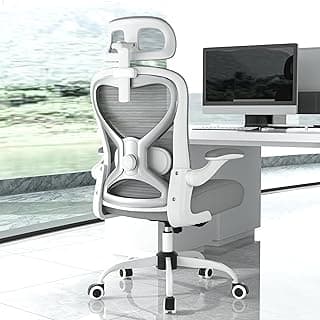
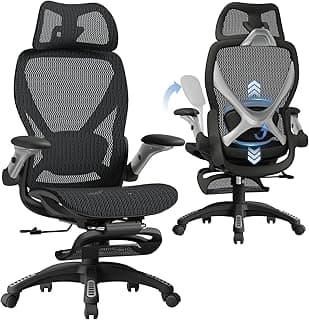
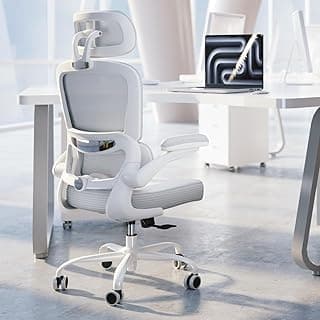
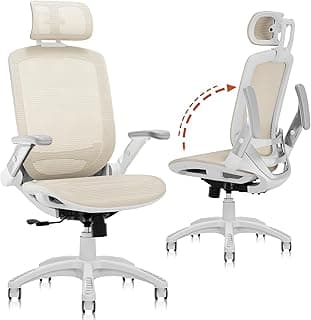
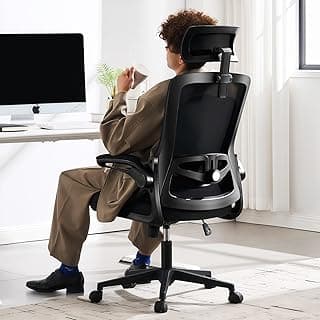
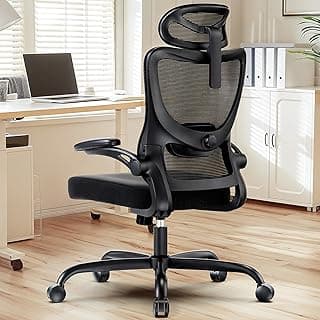
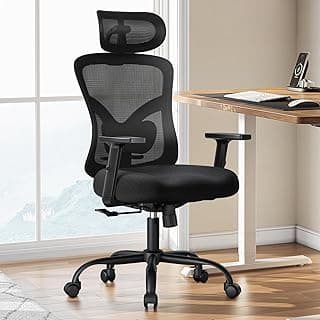
Adjustable Headrest Height and Angle
A headrest that adjusts easily matters because it lets you position support exactly where your neck needs it, reducing strain during extended sitting. Without proper alignment, even comfortable seats can lead to forward head posture over time.
- Look for 4–6 inches of vertical adjustment to match your height.
- Choose models with tiltable headrests if you lean back often.
- Avoid fixed headrests unless your sitting position rarely changes.
If you spend 6+ hours daily at your desk, prioritize smooth, tool-free adjustments for quick tweaks throughout the day.
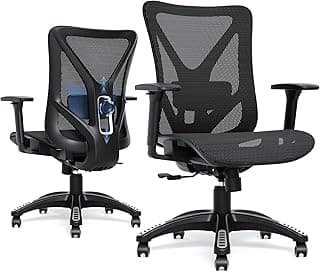
Lumbar Support Customization
Effective lumbar support cradles the lower back, which indirectly eases neck tension by promoting upright posture. Poor lower back alignment often forces the neck to compensate, worsening pain.
- Opt for height-adjustable or inflatable lumbar pads for a personalized fit.
- Test for firmness that fills the spine's natural curve without pushing you forward.
- Skip overly rigid supports if you prefer a softer feel.
For most users with desk jobs, adjustable lumbar support proves more helpful than static designs in maintaining neutral spine alignment.
Seat Height and Depth Adjustment
Getting the right seat height ensures your feet rest flat and knees bend at 90 degrees, which supports overall posture and takes pressure off the neck. Incorrect depth can cause sliding or slouching, amplifying discomfort.
- Aim for a range covering 16–21 inches from floor to seat top.
- Choose seats where you can adjust depth so the edge sits 2–4 inches from behind your knees.
- Avoid chairs with limited pneumatic lifts if your height varies or you share the space.
If your desk is non-adjustable, then match seat height precisely to keep elbows at desk level without hunching.
Recline and Tilt Tension Control
Chairs with controlled recline allow periodic breaks from upright positions, giving neck muscles relief without losing support. Fixed upright chairs can fatigue the neck faster during long sessions.
- Select multi-position locks (at least 3 angles) with adjustable tension knobs.
- Look for synchro-tilt mechanisms that match backrest movement to seat angle.
- Steer clear of stiff reclines if you need frequent posture shifts.
In most cases, chairs with 120–135 degree recline ranges work well for home offices, balancing work and short rests.
Armrest Adjustability
Adjustable armrests position your shoulders relaxed, preventing them from creeping up toward your ears and straining the neck. Non-adjustable arms often lead to unintended tension buildup.
- Prefer 4D armrests (height, width, depth, pivot) for versatility.
- Ensure padding supports forearms without raising shoulders.
- Consider flip-up arms if you slide the chair under the desk often.
If you type or use a mouse extensively, then armrests that angle inward help keep shoulders down naturally.
Build Quality and Weight Capacity
Durable materials ensure the chair holds its adjustments over time, providing consistent neck support without sagging. Chairs that wobble or creak distract and discourage proper posture.
- Check for 300+ pounds weight ratings with reinforced frames.
- Fabric or mesh that resists wear suits daily use better than thin faux leather.
- Test stability by leaning in different directions before buying.
For long-term value, focus on chairs with 5-year warranties on mechanisms, especially if used 8+ hours daily.
Assembly and Space Fit
Simple assembly reduces setup frustration, letting you focus on comfort sooner. Chairs that fit your space prevent awkward positioning that strains the neck.
- Choose models with under 30 minutes assembly using basic tools.
- Measure your area: most need 24–30 inches width clearance.
- Avoid oversized bases if your home office is compact.
If space is tight, then caster wheels with locks help position the chair precisely without installation hassles.
Frequently Asked Questions
What should I look for in the best home office chair for neck pain?
Focus on adjustable headrests that support your neck's natural curve and high-back designs that cradle your upper spine. Chairs with dynamic lumbar support help maintain alignment during long hours, reducing strain if you lean forward often. Prioritize breathable mesh for comfort without overheating, as poor ventilation can worsen tension.
How much does a good chair for neck pain relief in a home office typically cost?
Expect to spend between $200 and $600 for a reliable option that addresses neck discomfort effectively. In most cases, chairs under $200 lack the adjustability needed for sustained support, while premium models over $600 offer extras like massage functions that aren't essential for everyone. Balance your budget with features like height adjustment to ensure value for daily use.
Are ergonomic home office chairs safe for people with chronic neck pain?
Yes, when they feature proper adjustability and stable construction to prevent tipping or shifting. Look for chairs tested for weight capacity up to 300 pounds and non-slip bases for safety on various floors. If you have severe issues, consult a doctor first, but these chairs generally reduce risk by promoting upright posture over time.
How easy is it to set up a home office chair designed for neck support?
Assembly usually takes 20-30 minutes with included tools and clear instructions, involving attaching the base, seat, and backrest. Most models require no special skills, though tightening bolts firmly ensures stability for neck alignment. If you're not handy, opt for chairs with minimal parts to avoid frustration.
How does the best chair for neck pain compare to a standard office chair?
Unlike basic chairs, these have targeted head and neck rests that prevent forward head posture, cutting strain by up to 40% during extended sessions. Standard models often flatten your spine over time, while ergonomic ones adjust to your body for better efficiency and less fatigue. The difference shines after 4-6 hours of use, making them worth the upgrade for remote workers.
Conclusion
Choosing the best home office chair for neck pain comes down to strong lumbar support, adjustable headrests, and ergonomic design that promotes proper posture during long hours. Prioritize chairs with customizable height, tilt mechanisms, and breathable materials to reduce strain and enhance comfort.
With these key features in mind, you're equipped to make a confident decision tailored to your needs. Take a moment to assess your workspace and select the model that aligns best with your daily routine—your neck will thank you for the investment in lasting relief.