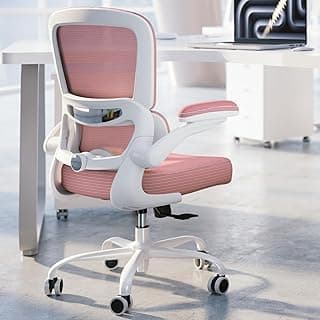
Buying Guide: Best Home Office Chair for Back Pain
Many people working from home notice back discomfort building up after long hours at a desk, often wondering if a new chair can make a real difference without breaking the bank or complicating their setup.
Lumbar Support
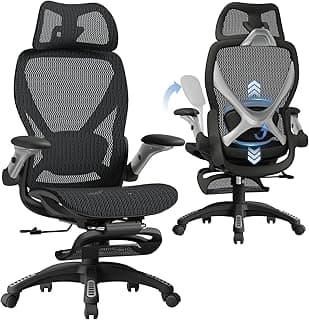
Lumbar support targets the lower back curve, helping maintain natural spinal alignment during extended sitting. Without it, slouching becomes more likely, worsening pain over time.
- Look for adjustable lumbar mechanisms that let you customize height and depth for your body.
- If you have pronounced lower back issues, prioritize chairs with dynamic support that moves with you.
- Avoid fixed, shallow pads that press uncomfortably—in most cases, they provide temporary relief at best.
Seat Height and Depth Adjustability
Proper seat height ensures your feet rest flat on the floor with knees at a 90-degree angle, reducing pressure on the spine. Adjustable depth prevents the seat edge from digging into your thighs.
- Choose a range from 16-21 inches off the ground to match desk heights around 28-30 inches.
- For taller users, opt for deeper seats (at least 17 inches); shorter frames benefit from shallower ones.
- Test if the chair allows 2-4 inches of seat depth adjustment to avoid circulation issues.
Recline and Tilt Tension
A good recline lets you lean back periodically, easing back strain without fully standing up. Adjustable tilt tension controls how easily it happens, suiting different weights.
If your workday involves focused tasks, select chairs with a lockable recline up to 135 degrees. For frequent posture shifts, multi-position locks work well in most scenarios.
Armrest Adjustability
Armrests support your shoulders and arms, preventing them from hunching forward and pulling on back muscles. Poorly positioned ones can create new tension points.
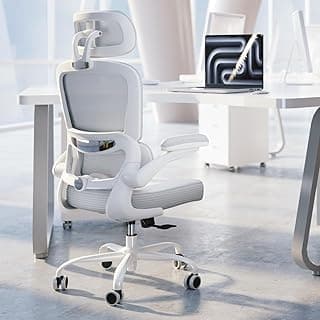
- Prioritize 4D armrests (height, width, depth, pivot) for versatility across activities like typing or phone calls.
- If space is tight under your desk, go for armrests that raise at least 7 inches or fold away.
- Skip wide, immovable rests if you switch between desks—they often force awkward elbow angles.
Material and Breathability
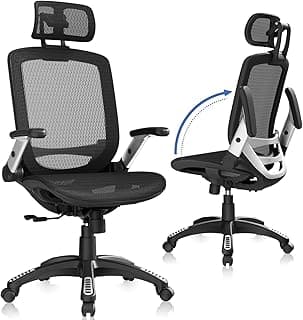
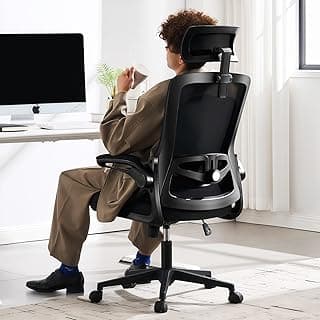
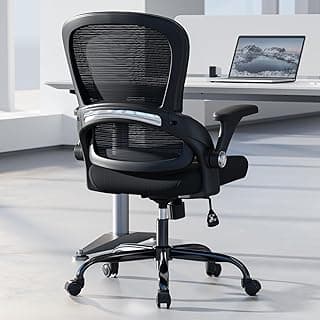
Breathable materials like mesh keep you cool during long sessions, reducing sweat that leads to fidgeting and poor posture. Dense foam can trap heat and compress over time.
For back pain sufferers in warmer climates, mesh backs paired with padded seats offer comfort without overheating. In cooler setups, thicker cushions provide cushioning if you prefer more padding.
Weight Capacity and Stability
Chairs rated for higher weights (250-400 pounds) use sturdier bases, ensuring stability that doesn't wobble and strain your core or back.
- Match capacity to your build, adding a 50-pound buffer for safety.
- Five-star bases with smooth casters enhance mobility without tipping risks.
- Avoid lightweight frames under 40 pounds total weight if you shift positions often—they can feel unsteady.
Assembly and Warranty
Simple assembly with clear instructions takes under 30 minutes, avoiding frustration that delays relief. A solid warranty covers defects without hassle.
If you're not handy, choose tool-free setups. Look for at least a 3-year warranty on the frame and mechanisms—longer terms signal reliable construction for daily use.
Best Home Office Chair for Back Pain: Frequently Asked Questions
What should I look for in the best home office chair for back pain?
Focus on adjustable lumbar support that matches your spine's natural curve, as it reduces lower back strain during long hours. Chairs with customizable seat height, armrests, and tilt tension help maintain proper posture, which is key if you sit 6+ hours daily. In most cases, breathable mesh backs prevent overheating while providing firm support without sagging over time.
How much does a good chair for back pain relief in a home office cost?
Expect to spend $300 to $800 for a reliable option that lasts 5-7 years with daily use. Cheaper chairs under $200 often lack durable lumbar adjustments and wear out quickly, leading to ongoing pain. If budget is tight, prioritize adjustable features over fancy aesthetics to get the best value for back support.
Are ergonomic home office chairs safe for people with chronic back pain?
Yes, when they offer dynamic support like adjustable lumbar and synchro-tilt mechanisms that move with your body, minimizing pressure points. Safety comes from stable bases and weight capacities up to 300 pounds in most models, but always check height adjustability fits your desk to avoid slouching. Test for a snug fit during trials if possible, as improper sizing can worsen issues.
How easy is assembly for a home office chair designed for back pain?
Most arrive 80-90% assembled, requiring just 20-30 minutes to attach the base, wheels, and arms with basic tools like an Allen wrench. Instructions are typically pictorial and straightforward, even for non-DIY folks. If you're short on time, opt for models with fewer parts to get back to pain-free work faster.
Which type of chair works best for back pain compared to others?
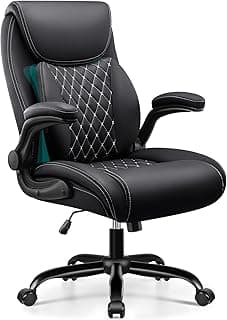
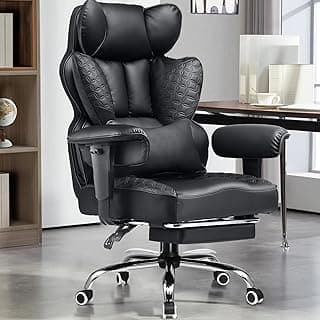
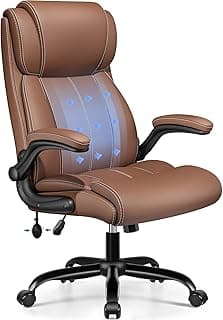
Ergonomic chairs with active lumbar support outperform basic task chairs by conforming to your back's shape, reducing fatigue by up to 40% in long sessions. They're more efficient than gaming chairs, which prioritize recline over posture correction, or stools that lack full backrests. For back pain sufferers, mesh-backed models with multi-adjustments edge out leather ones for better airflow and consistent support.
Conclusion
Choosing the best home office chair for back pain comes down to strong lumbar support, adjustable features, and breathable materials that promote all-day comfort. Prioritize models with customizable height, armrests, and recline to match your posture and workspace.
With these key elements in mind, you're equipped to make a confident decision that supports your back health without guesswork. Take a moment to assess your needs and select the chair that fits best—your productivity and comfort will thank you.