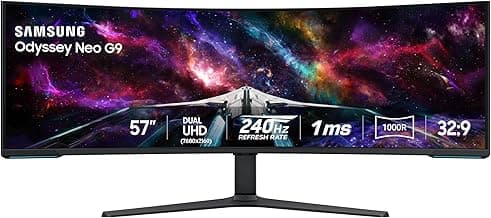
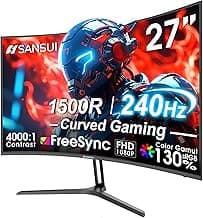
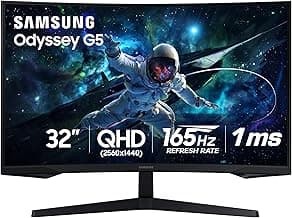
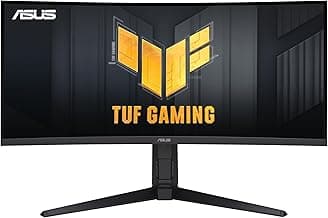
Buying Guide: Best Gaming Monitors for Sim Racing
Choosing a monitor for sim racing often feels overwhelming with all the specs thrown at you, especially when you're focused on immersive laps rather than tech jargon. Many racers end up with displays that feel laggy or too small for the track, but focusing on a few key factors can help you pick one that matches your setup and driving style without overpaying.
Screen Size and Field of View
Screen size directly impacts how much of the virtual track you see, making it easier to spot apexes and rivals. For cockpit setups, larger screens create a more realistic field of view, but they require desk space and distance to avoid eye strain.
- If your rig is compact, aim for 27-32 inches to balance immersion and practicality.
- For triple-monitor arrays, 32 inches or larger per screen helps seamless peripheral vision, though alignment takes setup time.
- Avoid screens under 27 inches unless space is extremely limited, as they can make spotting distant cars harder.
Resolution and Clarity
High resolution ensures sharp details like track markings and car liveries, which matter during high-speed corners. However, it demands a powerful GPU to maintain frame rates without stuttering.
- Opt for 1440p (QHD) in most cases for crisp visuals without taxing your system too much.
- Go for 4K if your PC handles it smoothly and you prioritize detail over speed.
- Steer clear of 1080p for serious sims, as pixelation becomes noticeable on larger screens during close racing.
Refresh Rate and Motion Handling
A high refresh rate delivers smoother motion, crucial for anticipating turns and avoiding motion sickness in fast-paced races. Pair it with adaptive sync to eliminate tearing.
- Choose at least 144Hz for responsive feel; 240Hz or higher shines in competitive sessions.
- If you race at 60Hz or below, you'll notice input lag that disrupts precision steering.
- Enable adaptive sync if your GPU supports it, reducing judder without performance hits.
Response Time and Input Lag
Low response time prevents ghosting on fast-moving objects like other cars, while minimal input lag keeps your inputs feeling instant. These specs matter most in twitchy wheel handling.
- Target 1ms GtG response for blur-free action; 5ms or higher can smear during aggressive maneuvers.
- Check for low input lag under 10ms in real-world tests, especially with console setups.
- If you're on a budget, prioritize response over ultra-high refresh if your games cap at lower frames.
Panel Type and Viewing Angles
Panel type affects color accuracy and contrast, influencing how realistically cockpits and environments appear. Wide viewing angles are key for multi-monitor or off-center seating.
- IPS panels generally offer better colors and angles for immersive daylight tracks.
- VA panels boost contrast for night racing, but check for slower response in dynamic scenes.
- Avoid TN unless prioritizing raw speed, as colors wash out in sim environments.
Adaptive Sync Compatibility
Adaptive sync tech like FreeSync or G-Sync matches the monitor's refresh to your GPU's output, smoothing gameplay without screen tears or stutters.
- Ensure compatibility with your graphics card to avoid mismatched frame rates.
- If you switch between PC and console, look for universal sync support.
- Skipping this can lead to distracting artifacts, even on high-refresh displays.
Curvature and Immersion
A curved screen wraps around your view, enhancing peripheral awareness without needing multiples. It's especially useful for single-monitor sim rigs.
- Choose 1000R to 1800R curvature for natural eye flow; flatter suits analytical viewing.
- If mounting close to your face, curve reduces distortion at edges.
- Straight panels work fine for desk setups farther back, keeping costs down.
By matching these factors to your rig, budget, and racing habits, you'll find a monitor that elevates your sim experience without common pitfalls like lag or poor visibility. Start with your space and GPU power, then narrow options from there.
Frequently Asked Questions About the Best Gaming Monitors for Sim Racing
What should I look for in the best gaming monitors for sim racing?
Focus on high refresh rates like 144Hz or higher, low response times around 1ms, and ultrawide aspect ratios such as 21:9 or 32:9 for an immersive field of view that mimics real racing cockpits. Curved screens with at least 1000R curvature help reduce eye strain during long sessions, while adaptive sync technologies prevent screen tearing for smoother gameplay. Prioritize panels with good color accuracy and HDR support if you want realistic track visuals, but balance these with your GPU's capabilities to avoid bottlenecks.
How much do the top sim racing monitors cost?
Entry-level options start around $300 for solid 27-inch 144Hz models suitable for casual sim racing, while premium ultrawide setups can run $800 to $1500 depending on size and features. In most cases, spending $500 to $900 gets you the best value with 34-inch or larger curved displays that deliver pro-level performance without breaking the bank. Factor in your budget for peripherals like wheel stands, as the monitor is just one piece of a complete setup.
Are ultrawide gaming monitors safe for sim racing rigs?
Yes, most ultrawide sim racing monitors are designed with VESA mount compatibility, making them secure for mounting on cockpit frames or desk arms if you use quality brackets rated for the screen's weight. Always check the stand's stability or opt for wall mounts to prevent tipping during intense races, especially with heavier 49-inch models. If your rig involves motion platforms, ensure the monitor's size doesn't exceed the frame's weight limits for added safety.
Is installation easy for sim racing gaming monitors?
Setup is straightforward for most models—unbox, attach the stand or VESA mount, connect via DisplayPort or HDMI, and calibrate in your racing sim software within 15-30 minutes. If mounting to a sim rig, you'll need basic tools like a screwdriver and possibly a friend for larger screens, but many come with clear manuals and adjustable arms. Test for dead pixels and adjust height/angle immediately to match your seated position for optimal immersion.
How do curved vs flat monitors compare for sim racing?
Curved monitors excel in sim racing by wrapping around your vision for better peripheral awareness and reduced distortion at the edges, especially on 34-inch or wider panels, making tracks feel more lifelike. Flat screens work fine for smaller setups or budget builds but can feel less immersive during high-speed corners. If your space allows, go curved for long sessions; otherwise, a high-quality flat 1440p display handles most racing sims efficiently without the extra cost.
Conclusion
Choosing the best gaming monitors for sim racing comes down to high refresh rates, low response times, and immersive resolutions that deliver realistic visuals and precise control. Prioritize panels with minimal input lag and wide viewing angles to elevate your racing experience without distractions.
With these key factors in mind, you're well-equipped to make a confident decision tailored to your setup and budget. Take a moment to match your needs with the right model, and hit the track with the edge you deserve.