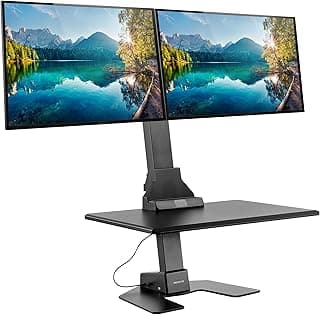
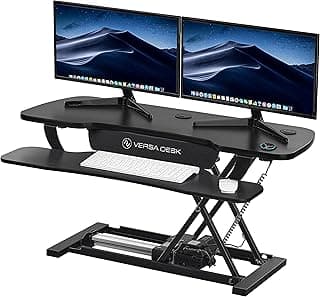
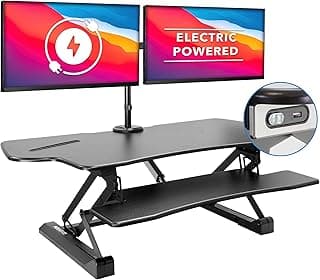
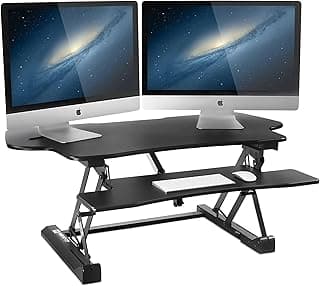
Buying Guide: Best Electric Standing Desks for Dual Monitors
Many people setting up workstations with two monitors find themselves overwhelmed by the variety of electric standing desks available. A common concern is whether the desk will provide enough space and stability for dual screens without wobbling or taking up too much room. This guide breaks down the key factors to consider for practical, everyday use.
Desktop Size and Surface Area
The desktop dimensions directly affect how comfortably your dual monitors fit alongside your keyboard, mouse, and other essentials. For dual monitors, aim for a width of at least 48 inches to avoid a cramped setup.
- If your monitors are 27 inches or larger, choose widths of 60 inches or more for breathing room.
- Narrower desks (under 48 inches) work if you have smaller screens or stack them vertically, but they limit multitasking space.
Measure your current setup first—then select a size that matches your workflow without dominating the room.
Height Range and Adjustability
A good height range ensures the desk accommodates sitting and standing positions for users of different heights, reducing strain during long sessions with dual monitors.
- Look for desks with a range from 25 inches to at least 50 inches to suit most adults.
- If you're taller than 6 feet or shorter than 5 feet, prioritize extended ranges like 22–52 inches.
Test the preset height memory buttons; they make switching positions quick, which is handy for frequent posture changes.
Weight Capacity and Stability
Dual monitor setups add significant weight—often 30–50 pounds just for the screens—plus your computer and accessories. A desk needs strong lifting capacity to handle this smoothly.
- Choose models rated for at least 150 pounds; 200 pounds or more offers better stability at full height.
- Avoid desks under 100 pounds capacity, as they may wobble or strain the motor with heavy loads.
Stability matters most when standing: check for anti-collision sensors to prevent damage from accidental bumps.
Motor Power and Speed
The motor determines how quietly and quickly the desk adjusts, which is important in shared spaces or during busy workdays.
- Dual motors generally provide smoother, faster lifts (1.5–2 inches per second) compared to single motors.
- If noise is a concern, opt for models under 50 decibels—similar to a quiet conversation.
For most users, a reliable motor outweighs speed; if you adjust height multiple times a day, then prioritize quicker options.
Build Quality and Frame Design
Durable frames resist daily wear, ensuring the desk holds up over years of use with dual monitors mounted.
- Steel frames are more robust than aluminum for heavy setups, with crossbars adding rigidity.
- Laminate or bamboo tops resist spills and scratches better than basic wood veneers.
If you plan to mount monitors on arms, confirm the frame has grommet holes or compatible mounting points.
Assembly and Cable Management
Easy assembly reduces setup frustration, especially with cables from dual monitors.
- Desks with pre-drilled holes and clear instructions typically assemble in under 30 minutes for one person.
- Built-in cable trays or channels keep wires organized, preventing tangles when raising/lowering.
No advanced tools are usually needed, easing concerns about installation—most users handle it solo.
Power Needs and Safety Features
Electric desks plug into standard outlets, with low energy use similar to a laptop charger.
- Overload protection and auto-stop sensors add peace of mind around kids or pets.
- Lockable controls prevent accidental adjustments.
These features make operation safe and straightforward, without complicating daily routines.
Frequently Asked Questions About Electric Standing Desks for Dual Monitors
What should I look for in the best electric standing desks for dual monitors?
Focus on a wide desktop surface, typically 60 inches or more, to comfortably fit two 27-inch monitors side by side without overhang. Stable height adjustment up to 48 inches ensures your screens stay level at standing height, preventing wobbling that disrupts workflow. Electric models with anti-collision sensors add safety for multi-monitor setups where cables and peripherals are common.
How much do good electric standing desks for dual monitors cost?
Expect to pay between $400 and $800 for reliable options that support dual 27-inch monitors without sagging. Cheaper desks under $300 often compromise on motor strength or stability, leading to issues over time, while premium ones justify the cost with smoother operation and longer warranties. If you're working long hours, investing in the mid-range keeps costs down without sacrificing durability.
Are electric standing desks safe for dual monitor setups?
Most modern electric desks include anti-collision technology that stops movement if it detects obstacles like monitor stands or cables, reducing pinch risks. Look for models with a weight capacity of at least 150 pounds to handle two monitors, keyboard, and accessories securely. In most cases, proper assembly and cable management make them as safe as fixed desks, but always test the full range of motion after setup.
How easy is installation for electric standing desks with dual monitor support?
Assembly usually takes 30-60 minutes for one person using basic tools like an Allen wrench, with the electric motor pre-attached to simplify the process. Attaching the desktop and legs is straightforward, but pre-drilled holes make monitor mount alignment easier on wider surfaces. If you're not handy, watch the included instructions carefully—most users find it manageable without professional help.
How do electric standing desks compare for single vs dual monitor use?
Dual monitor setups demand wider, more stable desks than single-monitor ones, as the extra weight can cause frame flexing in narrower models. Electric height adjustment shines here, letting you quickly switch positions without readjusting heavy screens. Overall, desks built for dual use offer better long-term efficiency for multitasking, though they take up more space than compact single-monitor options.
Conclusion
Choosing the best electric standing desks for dual monitors comes down to stability, ample surface space, smooth height adjustment, and reliable cable management. Prioritize models that support your setup's weight and monitor size for optimal ergonomics and productivity.
With these key factors in mind, you're well-equipped to make a confident decision that enhances your workspace. Take a moment to match your needs with the right features, and elevate your daily routine seamlessly.