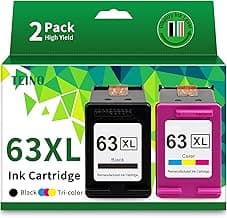
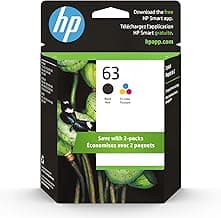
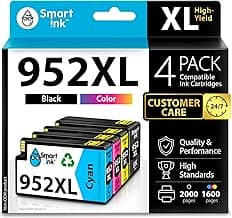
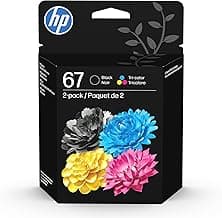
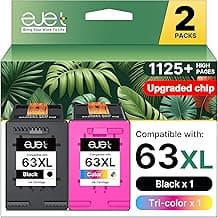
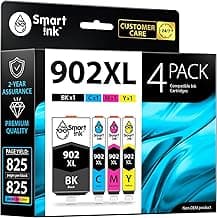
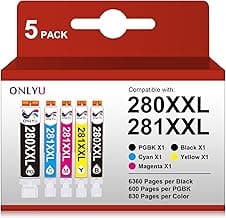
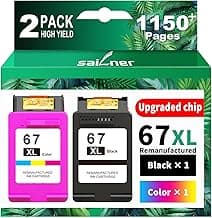
Buying Guide: Best Compatible Ink Cartridges
Many printer owners hesitate when considering compatible ink cartridges, worried about print quality dropping or damaging their machine. In reality, most compatible options work reliably in everyday home or office setups, as long as you focus on a few key factors to match your needs.
Compatibility with Your Printer Model
Printers vary by manufacturer and model, so mismatched cartridges can lead to error messages or poor performance. Always verify the cartridge model number against your printer's specifications.
- Check your printer manual or settings menu for the exact part number.
- If you print high volumes, opt for cartridges listed as compatible with multiple similar models.
- Avoid generics without clear model matching to prevent installation hassles.
Page Yield and Capacity
Page yield indicates how many pages a cartridge can print before needing replacement, directly affecting long-term costs. Standard yields range from 200-500 pages, while high-capacity ones go up to 1,000+ pages.
If you print infrequently, choose standard capacity to avoid ink drying out. For frequent users, high-yield options reduce replacement frequency and save money over time.
Print Quality and Ink Type
Compatible inks should match OEM standards for sharp text and vibrant colors, but quality varies. Look for dye-based for photos or pigment-based for documents needing fade resistance.
- Test with a small pack if possible, focusing on color accuracy in your typical prints.
- In most cases, pigment inks hold up better for business reports exposed to light.
- Avoid very cheap options if color bleeding occurs in real-world tests.
Cost Per Page
Upfront price matters less than cost per page, calculated by dividing cartridge price by yield. Compatible cartridges often deliver 30-70% savings compared to originals.
If you print 500+ pages monthly, prioritize low cost-per-page to maximize savings. For light users, balance with reliability to avoid reprints.
Chip and Installation Ease
Many modern printers use chips to recognize cartridges; compatible ones with updated chips install seamlessly without warnings. Installation typically takes under a minute.
- Choose chip-equipped compatibles for plug-and-play use.
- If your printer is older, non-chipped options may work fine after a quick reset.
- No special tools needed—most snap in like originals, reducing setup fears.
Safety and Reliability for Your Printer
Concerns about damaging printers are common but rare with quality compatibles, which use similar formulations. Reputable options undergo testing to prevent clogs or leaks.
For valuable printers, start with a single cartridge to confirm performance. In most cases, they perform safely across thousands of prints without issues.
Frequently Asked Questions About Compatible Ink Cartridges
What are the best compatible ink cartridges for saving money on printing?
If you're looking for cost-effective options, the best compatible ink cartridges typically cost 50-70% less than originals while delivering similar page yields. In most cases, they reduce your per-page printing expense without sacrificing too much quality, making them ideal for high-volume home or office use. Always check yield ratings to ensure they match your printing needs for maximum savings.
Are compatible ink cartridges safe to use in my printer?
Yes, high-quality compatible ink cartridges are designed to meet strict safety standards and won't damage your printer if chosen wisely. They use formulations that prevent clogs or leaks common in low-end knockoffs, but sticking to reputable suppliers minimizes risks like voided warranties. Most users report no issues after thousands of pages, provided the cartridge matches your printer model exactly.
How easy is it to install compatible ink cartridges?
Installation is straightforward and takes under 2 minutes in most printers—just open the compartment, remove the old cartridge, and snap in the new one. If your printer has a chip reset feature, you might need a quick alignment via the control panel, but many compatibles come pre-chipped for plug-and-play use. Double-check compatibility listings to avoid any model-specific hiccups.
How do compatible ink cartridges compare in print quality and efficiency?
Top compatible ink cartridges produce sharp text and vibrant colors that rival originals, with efficiency often matching or exceeding them in page yield per milliliter. They tend to dry faster on plain paper, reducing smudges, though photo prints might show slight differences in fade resistance over time. For everyday documents and moderate photos, they're a practical choice that keeps costs low without major quality drops.
Which compatible ink cartridges offer the best value for high-volume printing?
For heavy users, seek out compatible cartridges with high page yields (like 500+ pages per color) to minimize frequent replacements and downtime. They provide excellent value by balancing upfront cost with long-term efficiency, often outperforming generics in consistent ink flow. Compare multi-pack options if printing in bulk to stretch your budget further.
Conclusion
Choosing the best compatible ink cartridges comes down to matching quality, reliability, and printer specs for optimal performance and savings. Focus on high-page-yield options with consistent color accuracy and easy installation to avoid common pitfalls like smudging or low output.
You now have the insights to make a confident decision tailored to your needs. Take a moment to verify compatibility with your model, and enjoy hassle-free printing without breaking the bank.