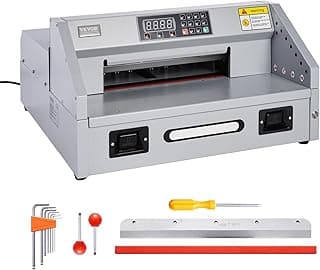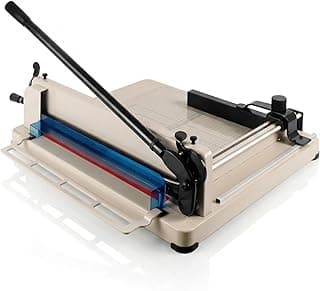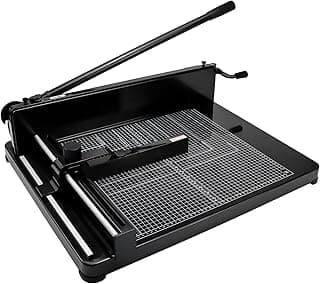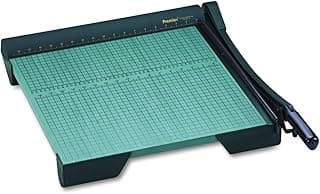

Buying Guide: Finding the Right Commercial Paper Trimmer
Choosing among the best commercial paper trimmers often feels overwhelming when you're dealing with high-volume cutting needs in a print shop or office. Many buyers worry about getting stuck with a machine that's either too weak for daily use or overly complicated to set up. This guide breaks down the key factors to consider, helping you match a trimmer to your actual workflow without unnecessary expense or hassle.
Cutting Capacity and Paper Size
Cutting capacity determines how much paper you can handle in one pass, which directly affects your efficiency during busy production runs. For commercial settings, look for trimmers that accommodate at least 15-inch widths, with some models reaching up to 36 inches or more.
- If your work involves standard letter or tabloid sizes, a 15-18 inch capacity works well for most tasks.
- Opt for larger capacities if you frequently trim posters or large formats to avoid multiple passes.
- Avoid models under 12 inches for commercial use, as they lead to frequent repositioning and slower output.
Cut Length and Precision
Precise cut length ensures clean, repeatable edges on everything from brochures to packaging, reducing waste from errors. Commercial trimmers typically offer adjustable stops for lengths from 1 inch to over 30 inches.
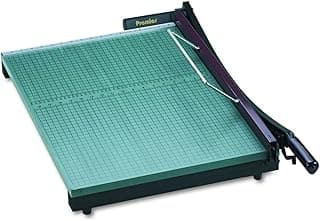
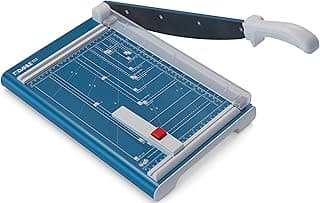
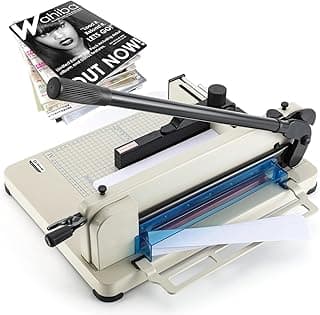
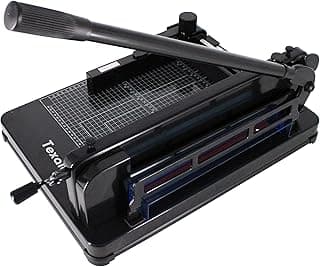
- Choose guillotine-style for straight, high-precision cuts if accuracy is critical.
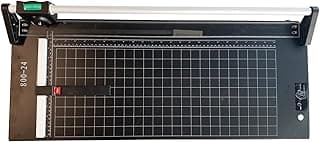
- Consider rotary blades if you need smoother edges on photos or delicate stocks.
- Test the alignment features in person, as even small variances add up in high-volume jobs.
Build Quality and Durability
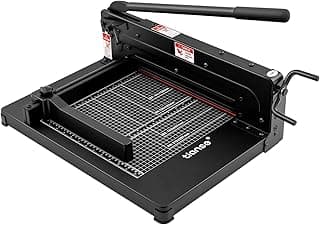
In a commercial environment, a trimmer faces constant use, so sturdy construction prevents breakdowns and maintains cut quality over time. Metal frames and hardened blades generally outlast plastic components.
If your team runs 500+ cuts per day, prioritize all-metal builds with replaceable parts. For lighter commercial use, a reinforced composite frame can suffice while keeping costs down. Check blade sharpness retention, as dulling happens faster with inferior steel.
Safety Features
Safety matters most in shared workspaces where operators vary in experience. Modern commercial trimmers include features like blade guards, two-hand operation, and automatic clamps to minimize accidents.
- If multiple users access the machine, insist on transparent shields and emergency stops.
- For high-traffic areas, magnetic or infrared sensors add an extra layer without slowing workflow.
- These features rarely inflate costs significantly and often prevent expensive downtime from injuries.
Blade Type and Maintenance
Blade type influences cut quality, speed, and upkeep costs. Commercial models use either guillotine (shear-cut) or rotary blades, each suited to different materials.
Go with guillotine blades for thick stacks up to 1.5 inches or multi-layer cardstock. Select rotary for thinner, high-precision work. Plan for blade replacements every 6-12 months in heavy use, and choose models with easy-access designs to cut maintenance time.
Size, Portability, and Space Needs
Footprint affects where you can place the trimmer in your shop. Compact models measure around 20x30 inches, while larger ones exceed 40 inches in length.
- If space is tight, wheeled bases make repositioning simple without installation.
- Larger trimmers often need dedicated benches but handle bigger jobs efficiently.
- No special installation is required for most—plug-and-play setups get you cutting quickly.
Operating Costs and Efficiency
Beyond the upfront price, factor in electricity use and part replacements. Efficient trimmers minimize power draw while delivering fast cycles, often under 1 kWh per hour of operation.
For budget-conscious buyers, models with durable, low-wear components keep long-term costs low. If energy bills concern you, check cycle times—faster trimmers complete jobs quicker, offsetting higher initial investments in most cases.
Best Commercial Paper Trimmers FAQ
What should I consider when buying the best commercial paper trimmer for my office?
Focus on blade length for your typical paper sizes, cut capacity for stacks up to several hundred sheets, and sturdy construction to handle daily use. If you're trimming posters or large sheets, prioritize models with longer blades and self-sharpening features for consistent results. Cost-wise, expect to invest more for higher efficiency and durability, but it pays off in reduced maintenance over time.
How much do high-quality commercial paper trimmers typically cost?
Entry-level options start around $200 for basic guillotine-style models, while top commercial paper trimmers with advanced safety and precision features range from $500 to $1,500. In most cases, spending closer to $800 gets you better build quality and longer lifespan for busy environments. Factor in blade replacement costs, which are lower on models with replaceable, high-carbon steel blades.
Are commercial paper trimmers safe for frequent use in a workplace?
Yes, the best ones include safety clamps, blade guards, and transparent shields to prevent accidents during operation. If your team handles high volumes, look for models with magnetic blade locks that only release when properly positioned. Regular maintenance like blade cleaning keeps them reliable, minimizing risks even with constant use.
How easy is it to set up and install a commercial paper trimmer?
Most arrive partially assembled and require minimal setup—just attach the stand if included and secure to a stable surface with basic tools. No professional installation is needed unless mounting on a wall, which some models support for space-saving. In under 30 minutes, you'll be ready to trim, with clear manuals addressing common alignment tweaks.
How do rotary vs guillotine commercial paper trimmers compare in efficiency?
Guillotine trimmers excel at straight, high-volume cuts through thick stacks quickly, making them ideal for offices with bulk jobs. Rotary styles offer smoother edges for photos or crafts but slower for large batches. Choose based on your workflow—if speed trumps precision, guillotine wins for everyday commercial efficiency.
Conclusion
Choosing the best commercial paper trimmers comes down to blade quality, cutting capacity, safety features, and build durability tailored to your workload. We've highlighted models that balance precision with reliability, ensuring clean cuts on large volumes without hassle.
With these key factors in mind, you're equipped to make a confident decision that fits your needs. Take a moment to match the top options to your specific requirements and select the one that delivers lasting performance for your projects.