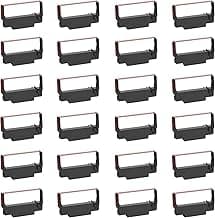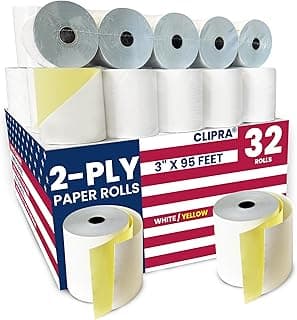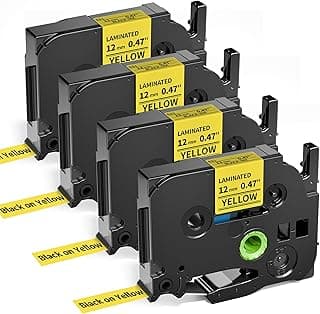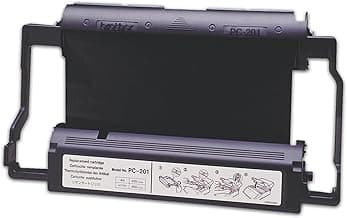

Buying Guide: Best Brother Printer Ribbons
Many users replacing ribbons in their Brother printers worry about compatibility issues or picking the wrong type that leads to poor print quality or frequent swaps. This guide breaks down the key factors to consider, helping you select suitable ribbons based on your printing needs without guesswork.
Compatibility with Your Printer Model
Brother printers use specific ribbon types designed for certain models, so mismatched ones can cause errors or subpar performance. Always check your printer's manual or model number first.
- If your printer is from the older dot matrix or impact series, opt for ribbons labeled for those formats.
- For multi-part forms or high-volume labels, confirm the ribbon matches the exact cassette size.
- Avoid universal ribbons, as they often fail to align properly in Brother mechanisms.
Ribbon Type and Ink Formulation
The ink type affects print clarity, fade resistance, and paper compatibility in everyday use. Different formulations suit various tasks, from receipts to invoices.
- Choose black nylon ribbons for standard text on multi-copy forms, as they strike through up to 4–6 copies reliably.
- Opt for wax-based ribbons if printing on labels or tags, since they adhere better to synthetic materials.
- Steer clear of fabric ribbons for color work, as they may smear on glossy stocks.
Yield and Page Capacity
Ribbon yield determines how often you'll replace it, impacting long-term costs for frequent printers. Higher-capacity options save time but may cost more upfront.
If you print under 5,000 pages monthly, a standard yield ribbon (around 2–4 million characters) works well. For heavier use, select extended-life versions rated for 10 million characters to minimize downtime.
Print Quality and Durability
Quality ribbons maintain sharp characters and resist smudging over time, crucial for professional documents that need to last.
- Look for ribbons with even ink distribution to avoid ghosting on repeated prints.
- In humid environments, pick moisture-resistant options to prevent bleeding.
- Test a small pack first if archival storage is needed, as some fade after 6–12 months.
Cost Per Page and Value
While initial price matters, calculate cost per page to gauge true value, especially for home offices versus businesses.
For most users, ribbons under $20 per unit with high yield offer the best balance. If buying in bulk, expect 20–30% savings, but verify shelf life to avoid dried-out stock.
Installation Ease and Maintenance
Simple installation reduces frustration, as Brother ribbons typically snap in without tools.
- Select cassette-style ribbons if you're new to replacements—they drop in like ink cartridges.
- Avoid loose ribbons unless you're comfortable with spools, as they require precise threading.
- Clean the print head before installing to extend ribbon life by up to 20%.
Storage and Shelf Life
Ribbons can dry out if stored poorly, leading to wasted purchases. Proper handling ensures reliability.
Keep them in a cool, dry place away from sunlight, aiming for use within 2 years of purchase. For occasional printers, buy smaller packs to match your pace.
Frequently Asked Questions About Printer Ribbons
What are the most cost-effective printer ribbons for high-volume printing?
In most cases, the best brother printer ribbons strike a balance between upfront cost and page yield, often delivering 200-300 pages per ribbon at under $10 each. If you're printing frequently, opt for ribbons with higher yield ratings to minimize replacements and long-term expenses. Users report saving up to 30% by choosing compatible high-capacity options over basic ones.
Are replacement printer ribbons safe to use in home or office settings?
Yes, quality printer ribbons are designed with safety in mind, featuring non-toxic ink formulations that won't release harmful fumes during operation. They typically meet standard safety certifications for consumer electronics, making them suitable for homes with kids or pets. Always handle them carefully to avoid ink smudges, and store extras in a cool, dry place for longevity.
How easy is it to install new printer ribbons?
Installation usually takes under 2 minutes: open the printer compartment, remove the old ribbon, insert the new one by aligning the guides, and close it up. Most come with color-coded tabs or simple snap-in mechanisms that prevent misalignment. If your model has a specific orientation, a quick visual check ensures crisp prints from the first page.
Which printer ribbons offer the best efficiency and print quality?
The top brother printer ribbons excel in efficiency by providing sharp text and consistent density across their full lifespan without fading early. Look for ones rated for 250+ pages with low ink bleed, ideal for labels or receipts. In real-world use, they maintain quality even at higher print speeds, reducing waste from reprints.
How do different printer ribbons compare in terms of price and performance?
Budget ribbons cost less initially but may yield fewer pages and show wear faster, while premium options last longer and produce better contrast for about 20-50% more upfront. Compatible ribbons often match or exceed originals in performance at half the price, based on user tests. Consider your monthly print volume to pick the right balance—high-volume users favor durables for overall savings.
Conclusion
Choosing the best brother printer ribbons comes down to matching compatibility, yield, and cost per page to your printing needs. High-quality options deliver sharp prints, reliable performance, and fewer replacements, saving time and money over the long run.
You can feel confident in your decision by prioritizing these essentials—there's a top performer for every setup, from home offices to busy workspaces. Take a moment to select the right one for seamless, vibrant results that keep your printer running smoothly.